
Band Repertoire Management Software: Track Your Songs
The Growing Challenge of Managing Your Band's Repertoire
As a gigging musician in 2026, you know the drill: a client requests a song you learned three months ago, and you're scrambling through paper charts, old notebooks, or a maze of folders on your laptop trying to find the right arrangement. You remember teaching it to the band, but where did you put those notes? Which key did you settle on? Did you write down the structure?
For function bands and wedding bands performing 50+ songs regularly—plus special requests and seasonal additions—keeping track of your repertoire becomes a logistical nightmare. Paper setlists get lost, file systems become chaotic, and band members end up with different versions of the same song. The result? Wasted rehearsal time, performance anxiety, and missed opportunities when clients ask what you can play.
What Is Band Repertoire Management Software?
Band repertoire management software is a digital platform that centralizes all your performance songs, arrangements, charts, lyrics, and notes in one searchable location accessible from any device. Instead of managing paper binders or scattered digital files, these tools let you organize your entire song catalog, share it with band members, and quickly build setlists for specific gigs.
Why Traditional Methods Fall Short for Working Musicians
Most bands start with makeshift solutions: shared Google Docs, Dropbox folders, or physical binders. These might work when you're playing 15-20 songs, but they crumble under the demands of a working function band.
The Paper Problem
Paper charts seem simple until you need to transpose a song on the fly, update an arrangement, or ensure all five band members have the current version. Wind at outdoor gigs, poor stage lighting, and the inevitable coffee spill make paper unreliable. Plus, hauling binders to every gig adds unnecessary weight to your already-loaded vehicle.
The Digital File Chaos
Dropbox folders and Google Drive attempts at organization create their own headaches. Files get renamed inconsistently ("september-FINAL.pdf" vs "september_final_v2.pdf"), band members download and edit different versions, and finding a specific song during sound check means scrolling through hundreds of files. There's no quick way to search by key, tempo, or genre, and sharing client song lists becomes a manual copy-paste nightmare.
The Memory Game
Relying on memory works until it doesn't. Which songs does your new guitarist know? What key did you decide on for "Valerie"? Did you add that Bruno Mars song to your official repertoire, or was that just a one-time request? Without a centralized system, these questions create uncertainty and last-minute stress.
How Band Repertoire Management Software Solves These Issues
Modern band repertoire management software addresses each of these pain points with purpose-built features designed for performing musicians.
Centralized Song Database
Every song lives in one searchable database. Store lyrics, chord charts, arrangement notes, original keys, preferred tempos, and performance instructions all together. When someone asks "Do we know 'Signed, Sealed, Delivered'?", you can search and find the answer in seconds, complete with all the details about how you perform it.
For bands managing 100+ songs, searchable databases become essential. Filter by genre for themed events, search by decade for era-specific requests, or find all songs in a particular key range. This organization transforms your repertoire from a vague collection into a strategic asset.
Device-Agnostic Access
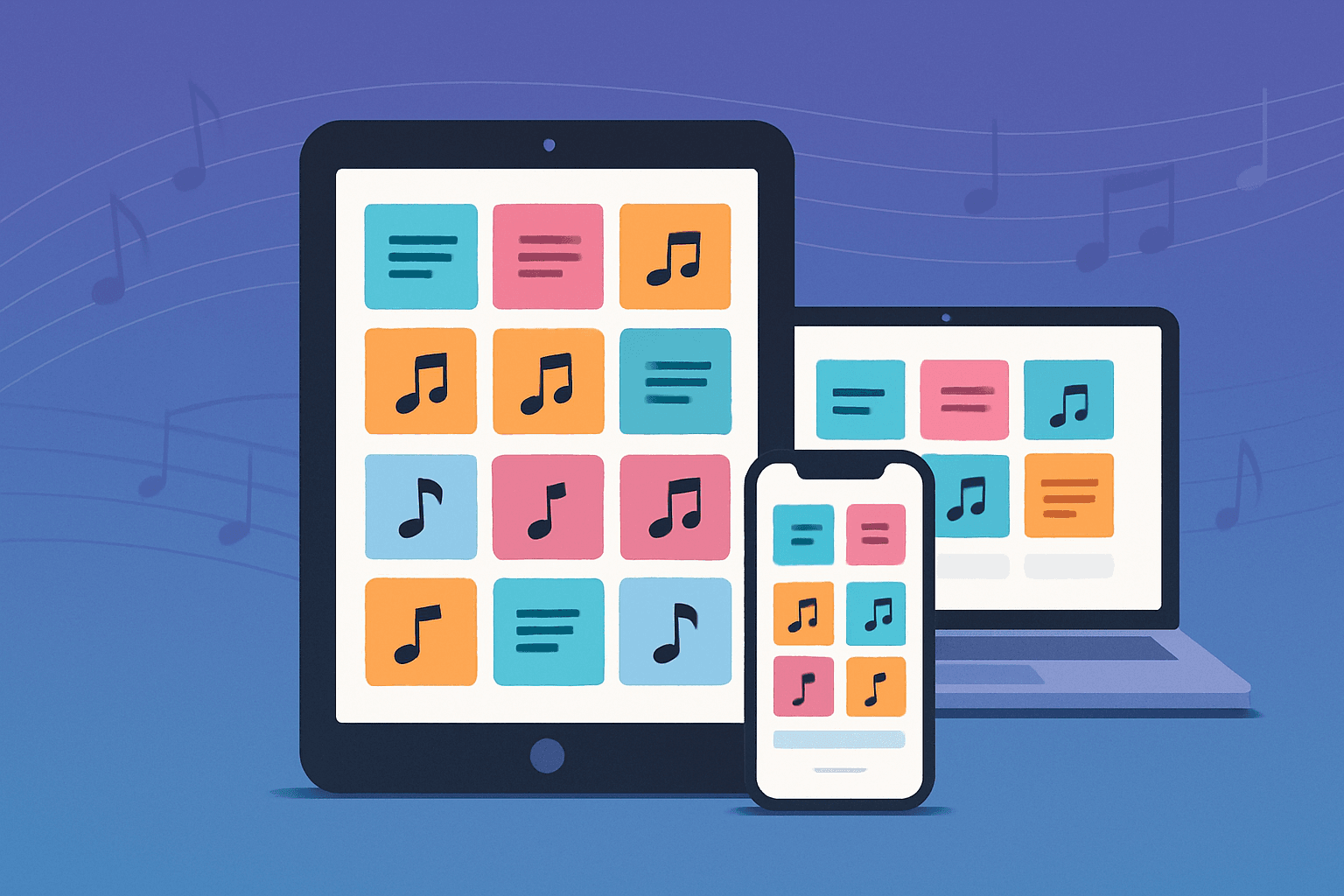
Cloud-based platforms mean your entire repertoire lives on your phone, tablet, and laptop simultaneously. Standing at sound check and a client mentions they want to hear a specific song? Pull it up on your phone instantly. Need to review arrangements during your commute? Your tablet has everything. Setting up on stage? Your laptop displays the same current information.
This accessibility eliminates the "I left my notes at home" scenario and ensures every band member can reference the same information regardless of their preferred device.
Real-Time Collaboration
When you update a song arrangement, all band members see the change immediately. No more email chains with attachments or "did you get my text about the key change?" conversations. The shared database means everyone works from the same source of truth.
For bands with rotating members or deps, this feature becomes invaluable. Your substitute guitarist can access the full repertoire immediately, complete with all the notes and arrangements your regular player would reference.
Client Song Selection Tools
Many platforms include client-facing features that let your booking clients browse your repertoire and build their preferred setlist. Instead of sending a static PDF list via email, you share a link where clients can search your songs, watch preview videos if you've added them, and select their favorites.
This professional approach impresses clients and saves you hours of back-and-forth communication. When they submit their choices, the selections integrate directly into your working setlist.
Key Features to Look for in Band Repertoire Management Software
Not all repertoire management platforms offer the same capabilities. Here's what matters most for working bands in 2026.
Unlimited Song Storage
Your repertoire will grow. Avoid platforms with song limits that force you to delete older material or upgrade to expensive tiers. Function bands typically maintain 150-300 songs in their active repertoire, and you need room for seasonal additions, special requests you've learned, and experimental material.
Transposition Capabilities
Vocalists have different ranges, venues have different acoustics, and clients sometimes request key changes. Digital transposition lets you shift charts instantly without rewriting or printing new versions. This feature alone can save hours of pre-gig preparation and enables real-time adjustments during sound check.
Look for platforms that transpose chord charts automatically while maintaining readable formatting. The best systems handle various chord notation styles and preserve your arrangement notes during transposition.
Multiple Content Types
Your repertoire information comes in different formats: chord charts, full scores, lyrics, backing tracks, reference recordings, and performance notes. Your software should accommodate PDFs, images, text, and links without forcing everything into a single format.
Some songs need full notation for horn sections, others just need lyrics and chord symbols. Your platform should handle this diversity without making you work around limitations.
Quick Setlist Building
Rarely do two gigs require identical setlists. You need to build custom setlists quickly by dragging songs from your repertoire. The platform should let you reorder songs easily, add timing notes, mark key changes, and share the completed setlist with your band.
Bonus points for systems that suggest songs based on your genre, tempo, or energy level to help you create balanced sets for different event types.
Offline Functionality
Internet access at venues can be unreliable. Your repertoire software must work offline so you can access everything even when wifi fails. Cloud sync ensures you have the latest versions before leaving home, then offline mode provides uninterrupted access during the gig.
Integration with Music Platforms
Building your digital repertoire shouldn't mean manually typing 200 song titles. Integration with Spotify, Apple Music, or other platforms lets you import songs from existing playlists, pulling in accurate song information automatically.
This time-saving feature transforms a multi-hour setup task into a 10-minute import process, getting you from signup to useful faster.
Implementing Band Repertoire Management Software: A Step-by-Step Guide
Transitioning your band to digital repertoire management requires some upfront effort, but following a systematic approach makes the process manageable.
Step 1: Audit Your Current Repertoire
Before choosing software, understand what you're working with. List all songs your band actively performs, including:
- Songs you play at every gig
- Regularly rotated material
- Special requests you've learned
- Seasonal or theme-specific songs
- Material you're currently rehearsing
This audit reveals your actual repertoire size and helps identify which songs need documentation. Many bands discover they've forgotten material they actually know or are carrying dead weight from songs they never play.
Step 2: Choose Your Platform
Evaluate platforms based on your specific needs. Consider:
- How many active songs does your band maintain?
- Do you need client-facing song selection?
- What devices do band members prefer?
- Do you primarily use chord charts, full scores, or both?
- What's your budget for ongoing subscription costs?
Platforms like Setlix offer comprehensive features specifically designed for function and wedding bands, including unlimited songs, client setlist builders, and Spotify integration. Creating professional setlists becomes streamlined when your repertoire management and setlist creation exist in the same platform.
Step 3: Start with Your Core Repertoire
Don't try to digitize everything at once. Begin with your 20-30 most-performed songs. For each song, enter:
- Song title and artist
- Key you perform it in
- Tempo and style notes
- Arrangement structure (intro, verse, chorus, bridge, etc.)
- Any special cues or important moments
- Charts, lyrics, or notation you reference
This focused approach gets your most important material into the system quickly, letting you start using the platform at your next gig rather than waiting until everything is perfect.
Step 4: Leverage Import Features
For remaining songs, use any available import tools. Spotify integration can populate song titles and artist information for your entire repertoire in minutes. Then you add your performance-specific details incrementally.
Some musicians import existing PDF charts in bulk, others copy-paste lyrics from existing documents. Find the fastest path for your existing materials without sacrificing essential information.
Step 5: Get Band Buy-In
Your repertoire system only works if everyone uses it. Hold a band meeting or rehearsal where you demonstrate the platform and help members create accounts. Show them how to:
- Access songs on their devices
- View the current setlist for upcoming gigs
- Add notes or comments to arrangements
- Suggest new material for the repertoire
Address concerns directly. Some musicians resist technology, so emphasize how this simplifies their lives rather than adding complexity. The guitarist who's always losing paper charts will appreciate never being caught without materials again.
Step 6: Maintain and Update Regularly
Set a routine for keeping your repertoire current:
- Add new songs immediately after learning them
- Update arrangements when you make changes
- Archive songs you no longer perform
- Review and refresh notes before big gigs
- Backup important charts even though cloud storage provides redundancy
Assign one band member (often the bandleader or most organized member) as the primary repertoire manager while allowing others to contribute updates.
Real-World Benefits: How Digital Repertoire Management Changes Your Band
Faster Gig Preparation
Wedding bands using digital repertoire management report cutting prep time by 60-70%. Instead of assembling physical binders, printing updated charts, and distributing materials to band members, you build a digital setlist in minutes and everyone has instant access.
One UK-based function band shared that they previously spent 2-3 hours before each gig organizing materials. With digital repertoire management, that dropped to 20-30 minutes of setlist planning, with zero time spent on physical materials.
Professional Client Interactions
Clients notice when you're organized. Sharing a searchable song list where they can browse by genre or decade demonstrates professionalism that distinguishes you from competitors still sending PDF attachments.
Several wedding bands report that their client song selection tools led to better reviews and more referrals. Couples appreciate the easy interface and often mention the experience in their testimonials.
Confident On-Stage Performance
Knowing you can access any song in your repertoire instantly reduces performance anxiety. When a drunk uncle requests "Sweet Caroline" between sets, you can confirm you know it and add it to the setlist in seconds, rather than uncertainty about whether you remember the bridge.
Bands performing 4-hour gigs with minimal planning rely on this confidence. Your repertoire becomes a safety net that catches unexpected moments and turns them into crowd-pleasing highlights.
Better Rehearsal Efficiency
Rehearsals become more productive when everyone arrives with the same materials. No time wasted distributing charts or explaining arrangements—everyone reviewed the songs beforehand on their own devices.
Bands report cutting rehearsal time by 30-40% because they spend more time playing and less time organizing. For working musicians juggling day jobs, families, and gigs, this efficiency creates valuable time savings.
Strategic Repertoire Growth
With your complete repertoire visible in one place, you can identify gaps strategically. Notice you're light on 80s material? Add five key songs. Getting requests for Latin music? Research popular choices and learn the crowd favorites.
Digital song books for musicians provide the data visibility that enables strategic thinking about your repertoire rather than reactive scrambling when clients make requests.
Comparing Band Repertoire Management Solutions in 2026
The market for musician-focused software has matured significantly, offering several strong options.
Purpose-Built Platforms vs. Generic Solutions
Purpose-built band repertoire management software like Setlix offers features specifically designed for performing musicians: setlist creation, client song selection, transposition, and integration with music platforms.
Generic solutions like Notion, Airtable, or Google Sheets provide flexibility but require significant setup and lack music-specific features. You'll spend hours building custom databases and won't get automatic transposition, Spotify imports, or client-facing tools.
For bands serious about professional presentation and efficiency, purpose-built platforms justify their subscription costs through time savings and enhanced capabilities.
Mobile-First vs. Desktop-Centric
Some platforms prioritize desktop experiences with full-featured web apps but limited mobile functionality. Others focus on mobile apps with streamlined tablet and phone interfaces.
Working musicians need both. You'll build and organize repertoire on your laptop at home, but access material on a tablet at gigs. Ensure your chosen platform delivers quality experiences across all devices.
Collaboration Features
Solo performers and small duos have different needs than 6-piece bands with rotating members. Larger groups require robust collaboration features: shared editing, comment threads, version history, and permission controls.
Evaluate collaboration tools based on your band's structure. Can deps access material easily? Can band members suggest changes without accidentally deleting critical information? Does the platform handle your specific workflow?
Cost Considerations: Is Band Repertoire Management Software Worth It?
Subscription fatigue is real, and musicians often work with tight margins. Let's examine the actual costs and returns.
Direct Costs
Most platforms range from $10-30 monthly for individual musicians or $20-60 monthly for band plans with multiple users. Premium tiers with unlimited songs, advanced features, and priority support command higher prices.
Annually, this represents $200-700 in software costs. For gigging musicians, that's roughly 1-3 gig fees per year.
Time Savings Value
If digital repertoire management saves 2 hours per gig in preparation (a conservative estimate based on user reports), and you play 50 gigs annually, that's 100 hours saved. If you value your time at even $30/hour, the software saves $3,000 in time value annually.
Even accounting for initial setup time, most bands break even within the first month and see increasing returns as they master the platform.
Opportunity Costs
Disorganization costs gigs. When a potential client asks what you can play and you can't provide a clear answer immediately, they might move on to a more responsive competitor. When you turn down requests because you're not sure if your band knows specific songs, you lose booking opportunities.
One wedding band reported booking three additional gigs specifically because their professional song selection tool impressed event planners. Those bookings paid for software costs for two years.
Risk Reduction
Paper gets lost, laptops crash, and individual file systems fail. Cloud-based repertoire management provides automatic backups and disaster recovery. The first time you avoid a crisis because you could access backup materials from your phone, the software pays for itself.
Getting Started with Setlix for Your Band Repertoire Management
Setlix provides comprehensive band repertoire management designed specifically for function bands, wedding bands, and working musicians performing regular gigs.
Core Features
- Unlimited setlists and songs: Build and maintain your complete repertoire without artificial limits or tiered pricing based on song count
- Centralized storage: Keep all song notes, lyrics, and charts in one searchable location accessible from any device
- Client setlist builder: Share your repertoire with clients who can browse and select songs for their events
- Spotify integration: Import songs directly from your Spotify playlists to build your digital repertoire quickly
- Interactive score viewer: View charts and notation with instant transposition capabilities for on-the-fly key changes
These features work together seamlessly. Import your repertoire from Spotify, add your arrangement notes and charts, build setlists for specific gigs, and share song selection tools with clients—all within one platform designed around your actual workflow.
Quick Start Process
- Sign up at https://setlix.org/ and create your account
- Import your core repertoire using Spotify integration or manual entry
- Add performance notes, keys, and charts to your most-played songs
- Invite band members and set up sharing permissions
- Create your first setlist for an upcoming gig
- Share your repertoire with a client using the client setlist builder
Many musicians have their basic repertoire set up and accessible within an hour of starting. You can refine and expand from there as you approach gigs and identify which songs need additional documentation.
Team Onboarding
Setlix supports band collaboration from the start. Each member gets their own account with access to shared repertoire. You control permission levels, determining who can edit arrangements versus who can only view materials.
This structure works for bands with consistent lineups and those using regular deps. Grant temporary access to substitutes without giving them permanent editing rights to your repertoire.
Beyond Basic Management: Advanced Repertoire Strategy
Once your band masters basic digital repertoire management, advanced strategies maximize your competitive advantage.
Data-Driven Set Planning
Track which songs get the best crowd response at different event types. Wedding cocktail hours might favor acoustic arrangements while late-night dance sets need high-energy crowd-pleasers. Build a reference system noting which songs work best in specific contexts.
Some bands maintain notes about song performance: "Always kills at corporate events," "Skip at wedding ceremonies," or "Great energy boost mid-set." These insights help you plan strategically rather than guessing.
Seasonal Repertoire Rotation
Maintain core year-round material plus seasonal additions. Winter holiday gigs need festive songs, summer weddings want beach and tropical vibes. Tag songs seasonally in your database so you can quickly build appropriate setlists.
This organization prevents the scramble when someone books a New Year's Eve gig in November and you can't remember which festive songs you actually know.
New Material Pipeline
Create a "learning queue" of songs you're considering adding. Research requests you're receiving, identify gaps in your repertoire, and maintain a prioritized list. When you have rehearsal time available, pull from this queue rather than random suggestions.
Track which songs clients request that you don't currently play. When the same request appears three times, it's probably worth learning.
Repertoire Marketing
Your organized repertoire becomes marketing material. Create sample setlists for different event types to show potential clients exactly what you offer. Export genre-specific lists to demonstrate depth in particular styles.
Function bands that showcase their extensive repertoire—"over 300 songs spanning six decades"—book more gigs than those with vague descriptions of their offerings. Your digital repertoire management system makes this specific marketing possible.
Common Challenges and Solutions
Transitioning to digital repertoire management isn't always smooth. Here's how to handle typical obstacles.
Resistance from Band Members
Some musicians prefer paper or resist learning new technology. Address this by:
- Starting small with just setlists before moving to full repertoire management
- Demonstrating specific benefits: "You'll never forget materials at home again"
- Offering hands-on setup help for less tech-savvy members
- Emphasizing that everyone can still print if they want, but the digital version is the master copy
Often, holdouts convert after experiencing the convenience once. Let early results speak for themselves.
Incomplete Information
Your repertoire database is only useful if it contains relevant information. Combat incomplete entries by:
- Setting minimum standards (every song needs title, artist, key, and basic structure)
- Assigning specific members to document particular songs
- Adding details gradually rather than demanding perfection upfront
- Making additions during sound checks when you're already referencing songs
Perfection paralysis prevents progress. Better to have basic information for 100 songs than complete details for 20.
Version Control Confusion
When multiple band members can edit arrangements, changes sometimes conflict or confuse. Establish clear protocols:
- Announce significant changes during rehearsals or in band group chats
- Use version dates or rehearsal dates when making major updates
- Designate one person as the final authority on arrangements
- Enable comment features instead of direct edits for suggestions
Most platforms track change history, letting you revert if someone accidentally overwrites important information.
Technical Difficulties at Gigs
Technology fails. Batteries die, tablets crash, and software occasionally glitches. Mitigate these risks:
- Always arrive with devices fully charged and bring backup power banks
- Keep offline copies synced before leaving for gigs
- Maintain paper backups of your most critical 20-30 songs
- Test your setup during sound check, not during the first song
According to research from the Audio Engineering Society, proper preparation and backup systems reduce technology-related performance disruptions by over 90%.
The Future of Band Repertoire Management
As we move through 2026 and beyond, band repertoire management software continues evolving with new capabilities.
AI-Powered Suggestions
Emerging platforms use artificial intelligence to suggest setlist orders based on tempo, key, and energy levels. Some analyze your most-played songs and recommend similar material to learn based on what's trending in the function band market.
While still developing, these features promise to reduce the mental load of set planning and repertoire expansion.
Enhanced Multimedia Integration
Modern platforms increasingly support backing tracks, click tracks, and synchronized lighting cues alongside traditional charts and notes. For bands incorporating tracks or automation, repertoire management systems become central control hubs for all performance elements.
Deeper Client Integration
Client-facing features are expanding beyond simple song selection. Some platforms now let clients provide detailed event timelines, indicate when specific songs should play, and communicate directly within the platform rather than through email chains.
This integration improves client experience and reduces coordination headaches for bands managing multiple bookings simultaneously.
Cross-Platform Ecosystem
Repertoire management platforms are connecting with other musician tools: booking software, invoicing systems, rehearsal schedulers, and equipment management. The trend toward integrated ecosystems means less jumping between apps and more streamlined workflows.
As reported by Music Trades magazine, integrated software solutions are becoming standard expectations for professional musicians by 2026, with fragmented tools increasingly seen as amateur.
Conclusion
Band repertoire management software transforms how function bands, wedding bands, and gigging musicians organize and access their material. By centralizing songs, charts, and arrangements in searchable digital formats accessible from any device, these platforms eliminate the chaos of paper binders and scattered files.
The upfront effort of digitizing your repertoire pays dividends through faster gig preparation, more confident performances, professional client interactions, and strategic repertoire growth. As working musicians face increasing competition and client expectations in 2026, organizational excellence becomes a competitive differentiator.
Whether you're managing 50 songs or 500, the question isn't whether to adopt band repertoire management software—it's which platform best fits your workflow and how quickly you can implement it to start reaping the benefits.
Start by auditing your current repertoire, choose a platform designed for performers like Setlix, digitize your core material, and get your band using the system consistently. Within a few gigs, the efficiency gains and reduced stress will make the old paper-and-folders method feel impossibly archaic.
Frequently Asked Questions
What is the best digital song book for musicians who perform live?
The best digital song book for musicians combines unlimited song storage, device-agnostic access, quick setlist creation, and offline functionality. Purpose-built platforms designed for performers offer features like automatic transposition, client song selection tools, and integration with music platforms. Look for solutions that accommodate your specific content types (chord charts, full scores, lyrics) and support band collaboration if you perform with others.
How do I organize my band's repertoire effectively?
Organize your band's repertoire by implementing digital management software that centralizes all songs in one searchable database. Tag songs by genre, decade, tempo, and event type for quick filtering. Maintain minimum information standards including title, artist, key, structure, and performance notes for each song. Create a core repertoire of frequently-performed material separate from occasional or seasonal additions, and establish clear protocols for when and how band members can update arrangements.
Can I access my digital setlist and repertoire without internet at gigs?
Yes, quality band repertoire management platforms provide offline functionality that syncs your latest repertoire to your devices when you have internet, then allows full access without connectivity. Before leaving for a gig, ensure your device syncs while connected to wifi. During the performance, you can access all songs, charts, and setlists without requiring internet. Changes made offline typically sync automatically once you reconnect.
How long does it take to digitize a band's complete repertoire?
Digitizing a band's complete repertoire varies based on size and detail level. Most function bands can enter basic information (titles, artists, keys) for 100-200 songs in 2-4 hours using import tools like Spotify integration. Adding detailed charts, notes, and arrangements extends this timeline. Rather than attempting everything at once, successful bands digitize their core 20-30 most-performed songs first (1-2 hours), then add remaining material over several weeks during normal rehearsal and gig prep activities.
What features should wedding bands look for in repertoire management software?
Wedding bands should prioritize client-facing song selection tools that let couples browse and choose music, unlimited song storage for large repertoires, quick transposition for accommodating different vocalists, and collaboration features for sharing materials with band members and deps. Additionally, look for platforms offering sample setlist templates for different wedding moments (ceremony, cocktail hour, reception), integration with popular music platforms for quick repertoire building, and mobile-optimized interfaces since you'll frequently reference materials on tablets during events.