
Transposable Sheet Music App: Change Keys Instantly
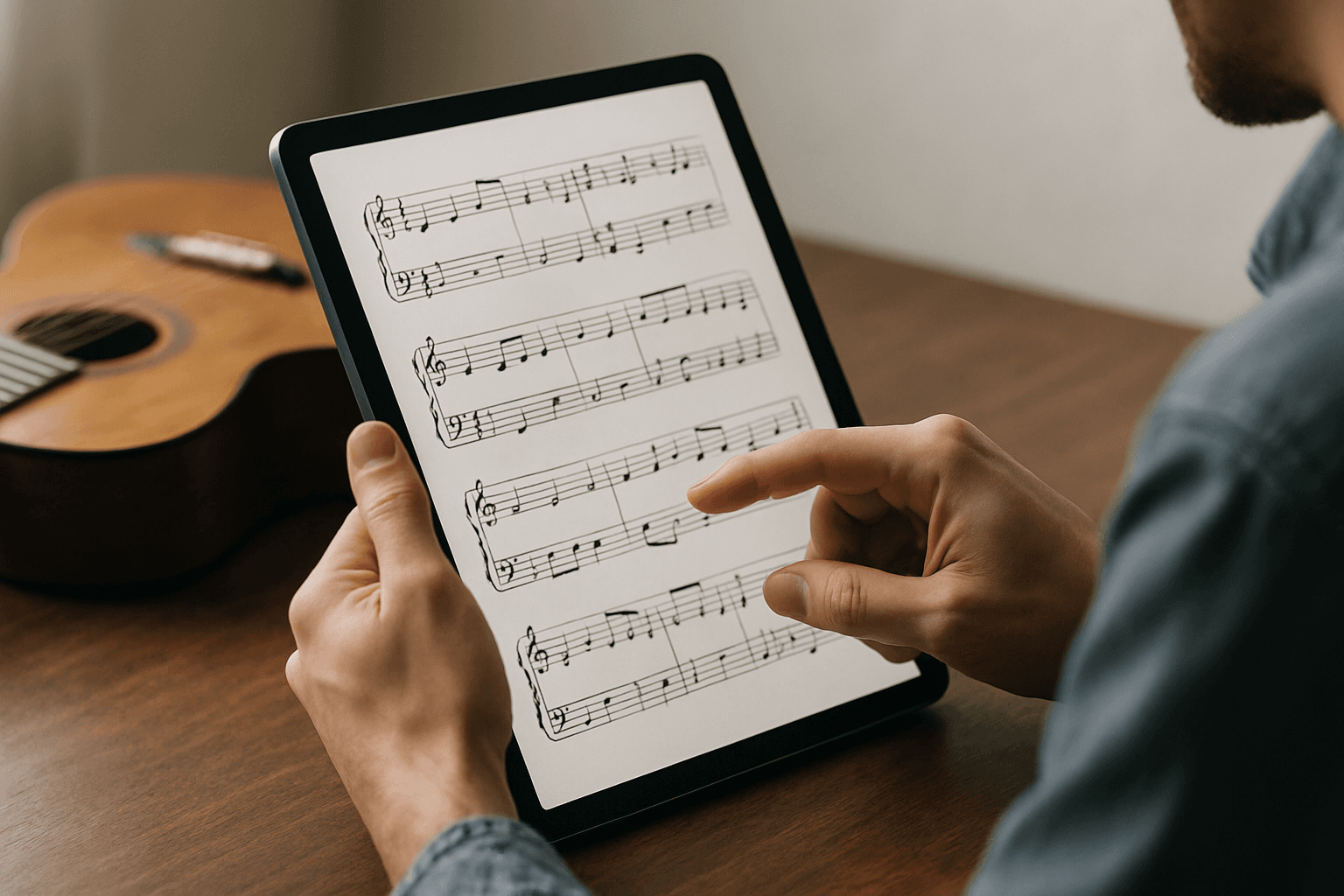
You're halfway through a wedding gig when the bride requests "At Last" — but your vocalist needs it in a different key. You scramble through your binder, frantically looking for the chart in the right key, while the crowd waits. Sound familiar?
For gigging musicians in 2026, paper charts and static PDFs are relics of the past. The modern solution? A transposable sheet music app that lets you change keys instantly, right on your device, without missing a beat.
What Is a Transposable Sheet Music App?
A transposable sheet music app is a digital platform that displays your sheet music, chord charts, and lead sheets with the ability to instantly change the key with a single tap. Instead of maintaining multiple versions of the same song in different keys, you store one chart and transpose it on demand during rehearsals or live performances.
The Problem with Traditional Sheet Music for Live Performers
Function bands and wedding bands face unique challenges that classical musicians or session players rarely encounter. Your setlist changes nightly based on client requests, venue acoustics, and vocalist availability. Each variable can require a different key.
The Paper Chart Nightmare
Traditional paper sheet music creates several headaches:
- Storage overload: Maintaining the same song in 3-4 different keys means 3-4 times the paper, binders, and organization
- Last-minute changes: When a client requests a song in a different key at soundcheck, you're stuck scrambling or skipping the song entirely
- Vocalist substitutions: Your sub vocalist has a different range — suddenly half your charts are unusable
- Lighting issues: Dark stages make paper charts nearly impossible to read, even with clip-on lights
- Weather concerns: Outdoor gigs mean wind, rain, and damaged charts
Static PDF Limitations
Many musicians moved to tablets with standard PDF apps, but these present their own problems. PDFs are essentially digital photographs of paper — they can't be modified. You still need multiple versions of each song, and searching through hundreds of files mid-gig wastes precious time.
How Digital Sheet Music with Transposition Changes Everything
A proper transposable sheet music app transforms how you manage your performance materials. Instead of treating your charts as static documents, these apps understand music notation and chord structures, allowing real-time manipulation.
Instant Key Changes
The core feature is instant transposition. When you need "Isn't She Lovely" in F instead of E, you tap a button and the entire chart updates — chord symbols, notation, and even Nashville numbers if you use them. The process takes seconds, not the 20 minutes you'd spend rewriting a chart by hand.
One Chart, Infinite Keys
You maintain a single version of each song in your repertoire. When you need a different key, you transpose on the fly. This approach:
- Reduces storage requirements by 60-75%
- Simplifies updates — fix one chart, not four versions
- Eliminates confusion about which version is current
- Speeds up repertoire expansion — add new songs faster
Vocalist-Specific Setlists
When working with multiple vocalists or substitute singers, you can create personalized setlists with the appropriate keys for each performer. Your digital setlist with key transposition adjusts automatically, ensuring everyone has the right charts without manual preparation.
Essential Features to Look For
Not all transposition apps are created equal. Here's what separates professional-grade tools from basic apps that'll leave you frustrated mid-gig.
Real-Time Transposition Without Lag
The app must transpose instantly. Any delay disrupts your workflow during rehearsals and makes live use impractical. Look for apps specifically designed for live performance, not just practice or study.
Support for Multiple Notation Types
Your repertoire likely includes:
- Lead sheets with melody and chord symbols
- Chord charts with lyrics and chords
- Full arrangements with complete notation
- Nashville number charts for session work
The best instant music transposition app handles all these formats, recognizing chord symbols (including complex jazz voicings) and transposing them accurately.
Clear Display on Multiple Device Sizes
You need crisp, readable notation on both tablets and phones. While tablets offer more screen real estate for complex arrangements, your phone becomes invaluable when you need to reference a chart quickly or when space is tight.
Organizational Tools
Transposition is just one piece of the puzzle. You also need:
- Setlist organization for different gig types
- Quick search to find songs instantly
- Tags and categories for sorting by genre, difficulty, or client preference
- Notes and annotations for performance reminders
If you're managing a band's repertoire of 200+ songs, organization becomes as critical as transposition itself.
Cloud Sync Across Devices
Your charts should sync automatically between your tablet, phone, and computer. When you add a new song or update a chart on your laptop during the week, it should appear on your tablet for Friday's gig without manual transfers.
Implementing a Transposition Workflow: Step-by-Step
Ready to make the switch? Here's how to integrate a transposable sheet music app into your existing workflow without disrupting your gig schedule.
Step 1: Audit Your Current Repertoire
Start by cataloging what you actually perform regularly. Most function bands discover they play 80% of their gigs from 20% of their repertoire. Focus on digitizing and organizing these high-rotation songs first.
Create a spreadsheet with:
- Song title
- Original key
- Keys you commonly perform it in
- Vocalist(s) who sing it
- Chart type (lead sheet, chord chart, full arrangement)
Step 2: Choose Your Platform
Research apps that match your specific needs. Consider:
Budget: Some apps require one-time purchases, others use subscription models. forScore is a popular option many musicians evaluate, but compare multiple solutions for your exact requirements.
Features: Do you need just transposition, or do you want integrated setlist management, metronome, tuner, and other performance tools?
Learning curve: How tech-savvy is your band? Choose an app with an interface your least technical member can master.
Platform compatibility: Ensure the app works on devices your band members already own (iOS, Android, or both).
For comprehensive solutions that combine transposition with professional setlist creation and management, platforms like Setlix offer integrated tools specifically designed for working musicians.
Step 3: Digitize Your Core Repertoire
Start with your top 20-30 songs. Use these methods:
Scan existing charts: Use your phone's camera or a scanner app to create clean images, then import them into your transposition app. Many apps include OCR (optical character recognition) to convert scanned charts into transposable notation.
Import existing digital files: If you have PDFs or MusicXML files, import them directly. MusicXML format preserves transposability better than PDFs.
Create new charts: For songs without existing charts, build them from scratch using the app's notation tools or import from online sources that provide MusicXML files.
Use integration features: Some apps offer Spotify integration and other connection tools that streamline adding songs to your library.
Step 4: Organize by Gig Type
Create setlist templates for different scenarios:
- Wedding ceremony
- Cocktail hour
- Dinner sets
- Dancing sets (by era or energy level)
- Corporate events
- Private parties
Within each template, include songs in the keys your vocalists typically use. When you book a gig, duplicate the relevant template and customize for that specific event.
Step 5: Test During Rehearsal
Before using your new system live, spend at least two full rehearsals working through the interface:
- Practice navigating between songs quickly
- Test transposing songs mid-rehearsal to simulate real-world scenarios
- Verify your device's screen brightness works in different lighting conditions
- Ensure your tablet stand is stable and positions the screen at the right angle
- Have backup power solutions (portable charger, extra devices) ready
Step 6: Introduce Gradually at Gigs
Don't go fully digital at your biggest gig of the year. Start with lower-stakes performances:
- Bring paper backups for the first 2-3 gigs
- Use the app for half your set, paper for the other half
- Gradually increase digital usage as comfort grows
- Keep paper charts for your 5-10 "emergency" songs
Step 7: Leverage Advanced Features
Once comfortable with basic transposition, explore additional capabilities:
Annotation tools: Mark dynamics, cues, and personal reminders directly on digital charts.
Audio attachments: Link reference recordings to songs for quick review during soundcheck.
Client collaboration: Use client setlist builder features to let wedding couples select songs from your repertoire, ensuring you have the right versions prepared.
Set timing: Track song lengths and calculate set duration to ensure you hit time requirements precisely.
Real Results: What Professional Musicians Report
Musicians who've made the switch to transposable sheet music apps report significant improvements in several areas.
Preparation Time Reduced by 60%+
Function bands report spending 3-5 hours less per gig on setlist preparation. Instead of printing, hole-punching, and organizing multiple versions of songs, they create digital setlists in 15-20 minutes.
Expanded Repertoire Options
When you can transpose instantly, you become more flexible with song keys. Bands report:
- Adding 30-50% more songs to their available repertoire because they're not limited by prepared keys
- Accepting more last-minute requests from clients and audiences
- Working successfully with more substitute vocalists without extensive preparation
Reduced Performance Anxiety
Knowing you can adjust keys instantly provides psychological relief. Musicians report feeling more confident accepting challenging requests and adapting to unexpected situations like different venue acoustics or vocalist discomfort.
Improved Band Cohesion
When your entire band uses the same digital platform with shared setlists, everyone sees the same information simultaneously. Changes made by the bandleader appear instantly on all members' devices, eliminating confusion about key changes or song substitutions.
Better Client Service
Wedding and corporate clients appreciate seeing their customized setlists on professional digital platforms. Some apps allow sharing read-only setlist views with clients, providing transparency and professionalism that sets you apart from competitors.
Integrating Transposition with Your Complete Performance Workflow
Transposition is powerful, but it's most effective when integrated with your broader performance management system.
Connecting with Repertoire Management
Your transposable charts should connect directly to your master repertoire database. When you update a chart, that update propagates to all setlists containing that song. This centralized approach eliminates version control issues and ensures consistency.
Coordinating with Setlist Creation
The best workflow combines transposition with intelligent setlist generation. Instead of manually building each setlist from scratch, you can:
- Select your gig type and duration
- Apply filters for appropriate songs
- Adjust keys for your vocalist
- Generate a balanced setlist automatically
- Fine-tune manually as needed
This integrated approach saves substantial time while maintaining creative control.
Extending Your Music Ecosystem
Consider how your transposition app fits into your larger music technology ecosystem. According to research from Berklee College of Music, professional musicians typically use 5-7 different apps and services for their work. Look for plugin and integration capabilities that connect your sheet music with:
- Backing track players
- Lyric teleprompters
- Lighting control systems
- Sound system presets
- Social media for setlist sharing
The American Federation of Musicians notes that technology integration is increasingly important for working musicians' professional development.
Overcoming Common Concerns
Many musicians hesitate to adopt digital transposition tools due to legitimate concerns. Here's how to address the most common objections.
"What if my device dies mid-gig?"
Battery anxiety is the number one concern musicians express. Solutions:
- Charge fully before every gig: Modern tablets easily last 8-10 hours
- Bring a portable charger: Keep a high-capacity power bank in your gig bag
- Use two devices: Have a backup tablet or phone with synced content
- Reduce screen brightness: Lower brightness extends battery life dramatically
- Enable airplane mode: Disable wireless features you don't need during performance
In practice, musicians report device battery issues are extremely rare when following these precautions.
"I'm not tech-savvy enough"
Modern music apps are designed for musicians, not programmers. Most working musicians become proficient within 2-3 rehearsals. Tips for easier adoption:
- Watch tutorial videos: Most apps provide comprehensive video guides
- Start with one feature: Master transposition before exploring advanced capabilities
- Get help from tech-savvy band members: Designate someone as the "tech lead" initially
- Use customer support: Quality apps provide responsive support to help you succeed
"Reading from screens hurts my eyes"
Screen fatigue is real, but manageable:
- Adjust brightness appropriately: Not too bright, not too dim
- Use night mode: Red-tinted or amber modes reduce eye strain in dark venues
- Choose larger tablets: 11-13" screens provide comfortable reading distances
- Take breaks: During sets when you don't need charts, turn the screen off
"My bandmates won't switch from paper"
Change management is often the biggest challenge. Strategies:
- Lead by example: Switch yourself first, demonstrate the benefits
- Offer to help with setup: Make the transition easy for hesitant members
- Allow hybrid approaches: Let members use paper during the transition period
- Emphasize benefits: Focus on less gear to carry, more flexibility, and reduced costs
- Start with young members: Younger musicians typically adapt fastest and can help others
Choosing Between Setlix and Other Transposition Solutions
When evaluating transposable sheet music apps, you'll encounter various options with different feature sets and pricing models.
Comprehensive Platforms vs. Single-Purpose Apps
Some apps focus exclusively on sheet music display and transposition. These specialized tools often provide excellent notation rendering but require separate apps for setlist management, repertoire tracking, and client communication.
Comprehensive platforms like Setlix integrate transposition within a complete performance management system. This unified approach offers several advantages:
- Single app to learn: Master one interface instead of juggling multiple apps
- Unified data: Your repertoire, setlists, and charts all connect seamlessly
- Better workflow: Move from client inquiry to prepared setlist without switching apps
- Lower total cost: One subscription vs. multiple app purchases
- Consistent updates: One development team improving all features together
For working musicians managing complex gig schedules, client relationships, and extensive repertoires, comprehensive platforms typically provide better long-term value despite potentially higher individual costs.
Key Decision Factors
When choosing your solution:
Evaluate your actual needs: Solo performers with simple chord charts have different requirements than 8-piece bands with full horn arrangements.
Consider your band's devices: If everyone uses iPads, iOS-only apps work fine. Mixed device bands need cross-platform solutions.
Calculate total cost: Compare one-time purchases vs. subscriptions over 2-3 years. Include the cost of multiple apps if going the single-purpose route.
Test before committing: Use free trials to actually build setlists and practice with charts during rehearsal before purchasing.
Check update frequency: Active development means bugs get fixed and features improve. Look for apps with regular updates.
Making the Switch: Your Action Plan
Ready to modernize your sheet music workflow? Follow this action plan to start using transposable sheet music effectively within 30 days.
Week 1: Research and Setup
- Day 1-2: Research apps matching your needs and budget
- Day 3-4: Download 2-3 top candidates and explore free trials
- Day 5-7: Digitize your top 10 most-performed songs in each app to compare workflows
Week 2: Core Repertoire Migration
- Commit to one platform based on your testing
- Digitize your top 50 songs
- Create 3-5 setlist templates for your common gig types
- Organize songs with tags and categories
Week 3: Practice Integration
- Use your digital charts for all rehearsals this week
- Practice transposing songs to different keys on the fly
- Test various screen brightness settings and display modes
- Refine your organizational system based on actual use
Week 4: Live Implementation
- Use digital charts for lower-stakes gigs (bring paper backups)
- Gradually increase reliance on digital system
- Collect feedback from band members
- Adjust workflow based on real-world experience
Ongoing: Continuous Improvement
- Add new songs as you learn them
- Explore advanced features monthly
- Update older charts with better versions
- Share best practices with your band
Setlix offers all the transposition, setlist management, and repertoire organization tools gigging musicians need in one integrated platform. With unlimited setlists and songs, cloud sync across all your devices, and features specifically designed for function bands and wedding musicians, Setlix streamlines your entire performance workflow.
Visit Setlix to start your free trial and experience how instant transposition and comprehensive performance management can transform your gigging efficiency.
Frequently Asked Questions
Can I use a transposable sheet music app offline during gigs?
Yes, most professional transposable sheet music apps allow offline access once your charts are downloaded. The transposition functionality works locally on your device without requiring internet connectivity. Before your gig, ensure all songs in your setlist are fully synced to your device. Enable airplane mode to preserve battery life while maintaining full access to your charts and transposition features.
How accurate is automatic transposition for complex jazz chords?
Modern transposition apps handle complex jazz chords with high accuracy, including altered dominants, extended voicings, and polychords. However, accuracy depends on how the chart was created. Charts built with proper chord notation or imported via MusicXML format transpose more reliably than scanned images processed through OCR. For critical charts with unusual voicings, verify the transposed version before performing to catch any rare interpretation errors.
Do I need a different transposable sheet music app for each band member?
No, most platforms allow multiple users under one account or offer band/group pricing. Each member can access shared setlists and repertoire from their own devices while viewing charts in their preferred format. This shared access ensures everyone sees the same song keys and setlist changes instantly. Check your chosen app's licensing terms—some apps require per-device purchases while others offer unlimited devices under one subscription.
Can digital sheet music with transposition replace learning music theory?
No, transposition apps are tools that complement music knowledge, not replace it. While apps handle the mechanical work of changing keys instantly, understanding intervals, chord relationships, and key signatures helps you use these tools more effectively. Professional musicians still benefit from theory knowledge for improvisation, arranging, and communicating with other players. Think of transposition apps as calculators—they speed up computation but don't eliminate the need to understand mathematics.
Will using a digital setlist with key transposition work for outdoor gigs?
Yes, but requires some preparation. Modern tablets and phones work well in various lighting conditions, though direct sunlight can make screens harder to read. Use maximum brightness for outdoor day events and consider screen shields that reduce glare. For evening outdoor gigs, digital displays actually offer advantages over paper since backlit screens remain readable regardless of stage lighting. Protect devices from weather with clear tablet cases, and always have backup power solutions since outdoor gigs often mean limited access to electrical outlets.
Conclusion
Transposable sheet music apps represent a fundamental shift in how working musicians manage their performance materials. The ability to change keys instantly eliminates hours of preparation work, expands your effective repertoire, and provides flexibility that paper charts simply can't match.
For function bands, wedding bands, and gigging musicians in 2026, digital sheet music with transposition isn't a luxury—it's becoming standard practice. The musicians who adapt to these tools gain significant competitive advantages: faster preparation, greater flexibility, and more professional presentation.
The transition requires some upfront investment of time and money, but the long-term benefits far outweigh the initial effort. Start with your core repertoire, practice during rehearsals, and gradually build confidence before relying on digital charts for high-stakes performances.
Whether you choose a specialized sheet music app or a comprehensive performance platform like Setlix, the key is making the commitment to modernize your workflow. Your future self—standing on stage confidently transposing a last-minute request while the crowd cheers—will thank you for making the switch.